Turn an old tablet into a control deck for your Mac.
Launch apps, control your music, see your Mac's batteries and internet speed, and dictate notes straight into Apple Notes, all from the tablet or phone already sitting in your drawer. Free.
macOS 14 or later·Free·Quick setup guide
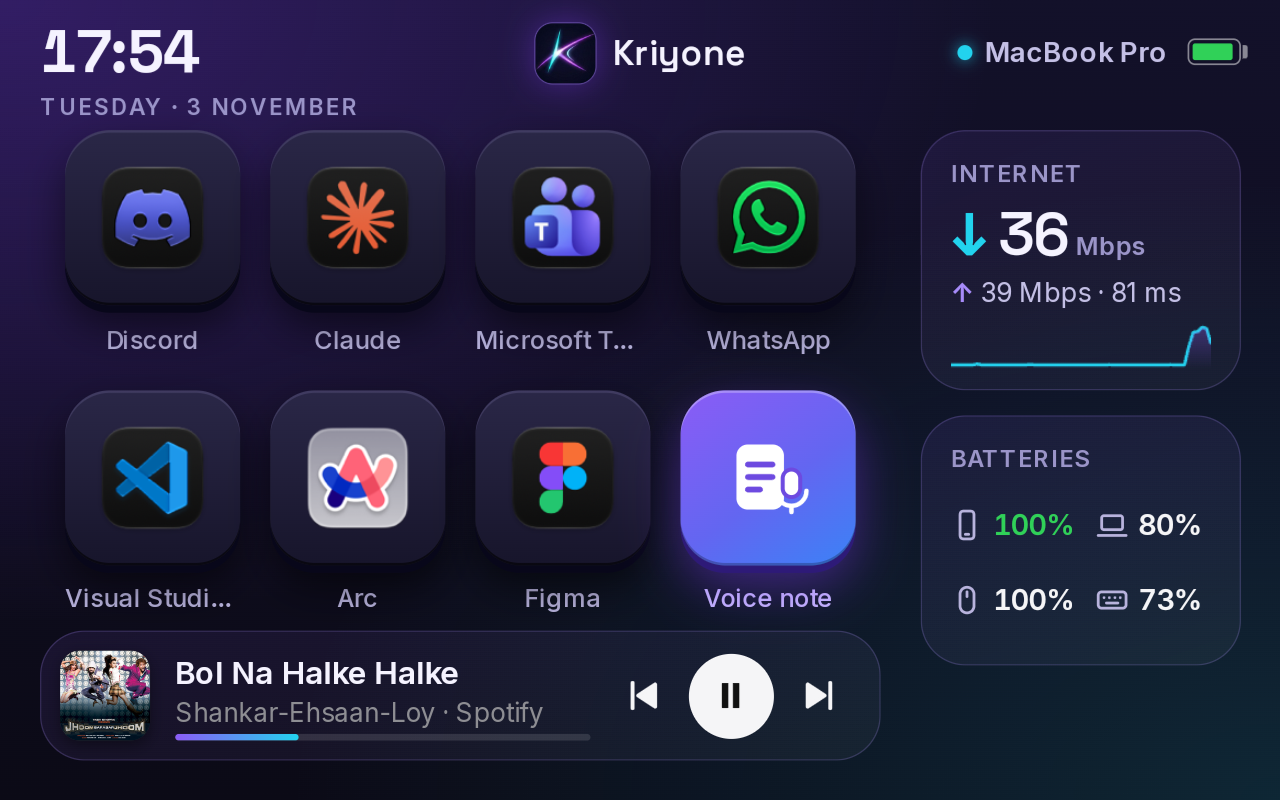
A free Stream Deck alternative for Mac
Everything you reach for all day, on one screen next to your keyboard.
Eight big keys for your Mac
Pick seven apps you use every day and open them with a tap. Hold any key to change them.
Voice note → Apple Notes
Tap Voice note and speak. Your Mac turns it into text, you check it on the tablet, and it's saved in Apple Notes. Speech is recognised on your Mac, not in the cloud.
Now playing
Album art, track and controls for Spotify or Apple Music, right on the deck.
Internet and batteries at a glance
Live download and upload speed, plus battery levels for your MacBook, tablet, mouse, keyboard and AirPods.
Private and secure
Your tablet talks to your Mac directly over your Wi-Fi, over a secure HTTPS connection. Your apps, music and notes never pass through Kriyone's servers: we only handle your sign-in and your Mac's secure link.
Works on old devices
No app to install on the tablet: it runs in the browser, even on a 2017 Android tablet.
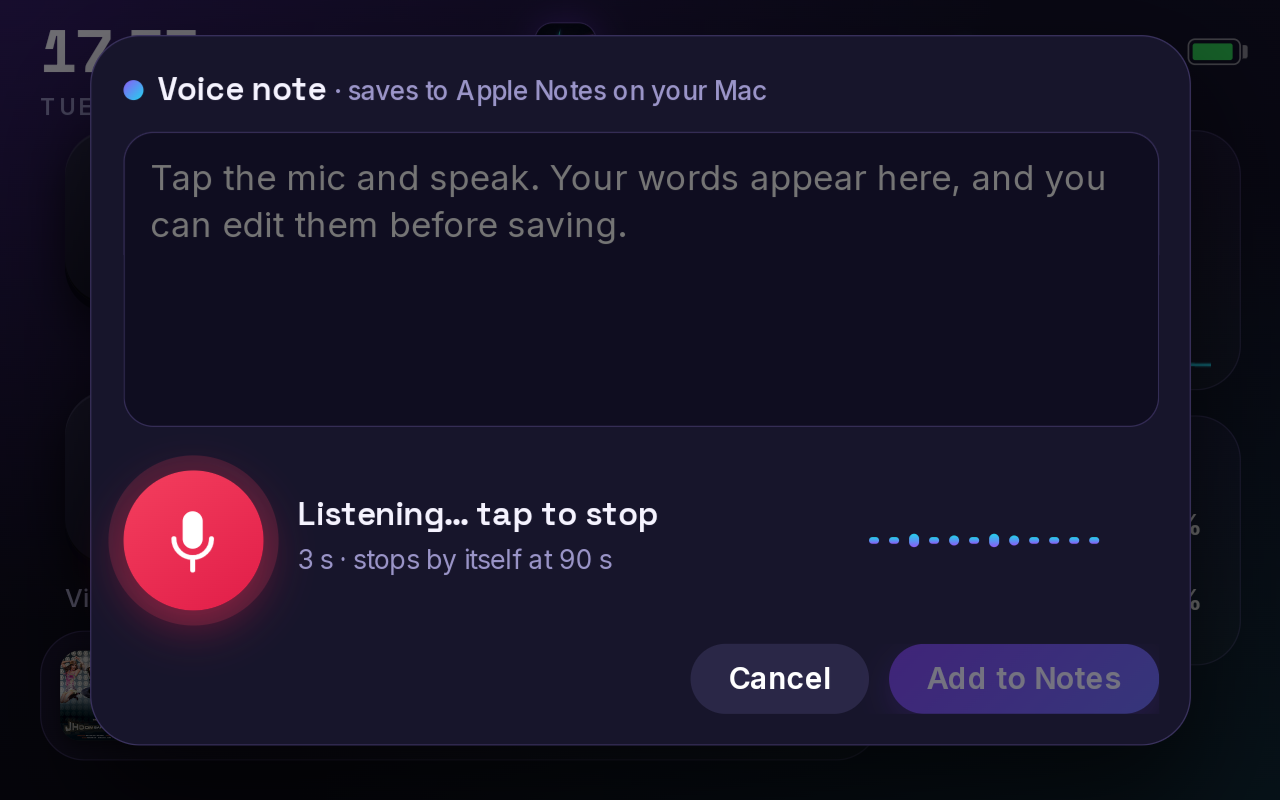
Speak on the tablet. Read it in Apple Notes.
Tap Voice note and speak. Your Mac turns it into text, you check it on the tablet, and it's saved in Apple Notes. Speech is recognised on your Mac, not in the cloud.
How it works
- 1
Install Kriyone Deck on your Mac and sign in with Google or your email.
- 2
Scan the QR code with your tablet or old phone, on the same Wi-Fi.
- 3
Add it to the home screen. Your deck opens full screen, ready to use.
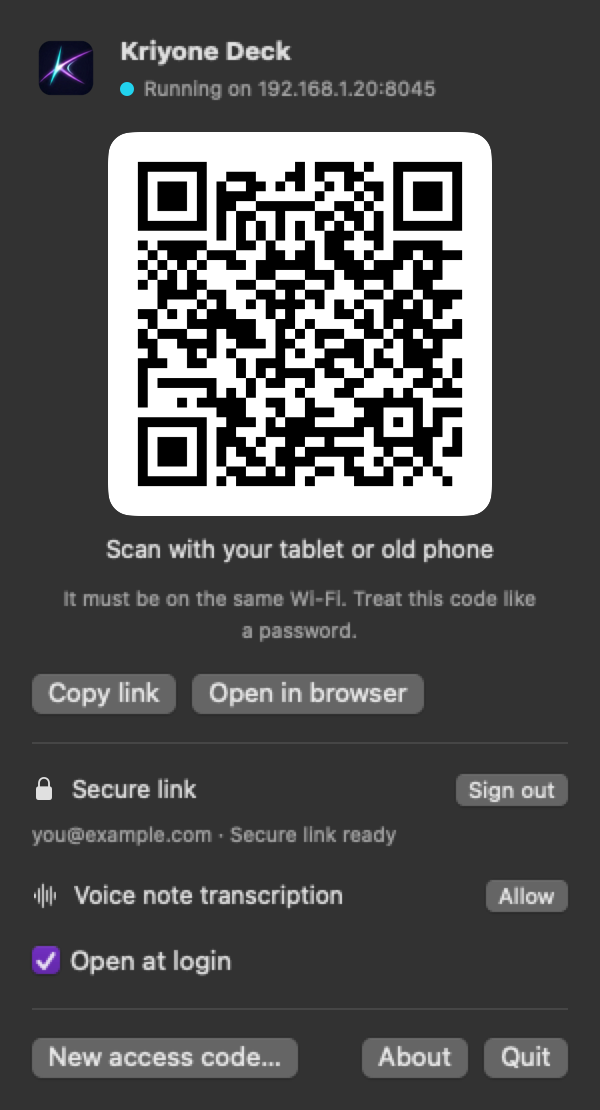
Nothing to install on the tablet.
Add your deck to the home screen and it opens full screen, like an app, without the browser's address bar. It works in Chrome, Samsung Internet, Firefox and Safari.
Add it to your home screen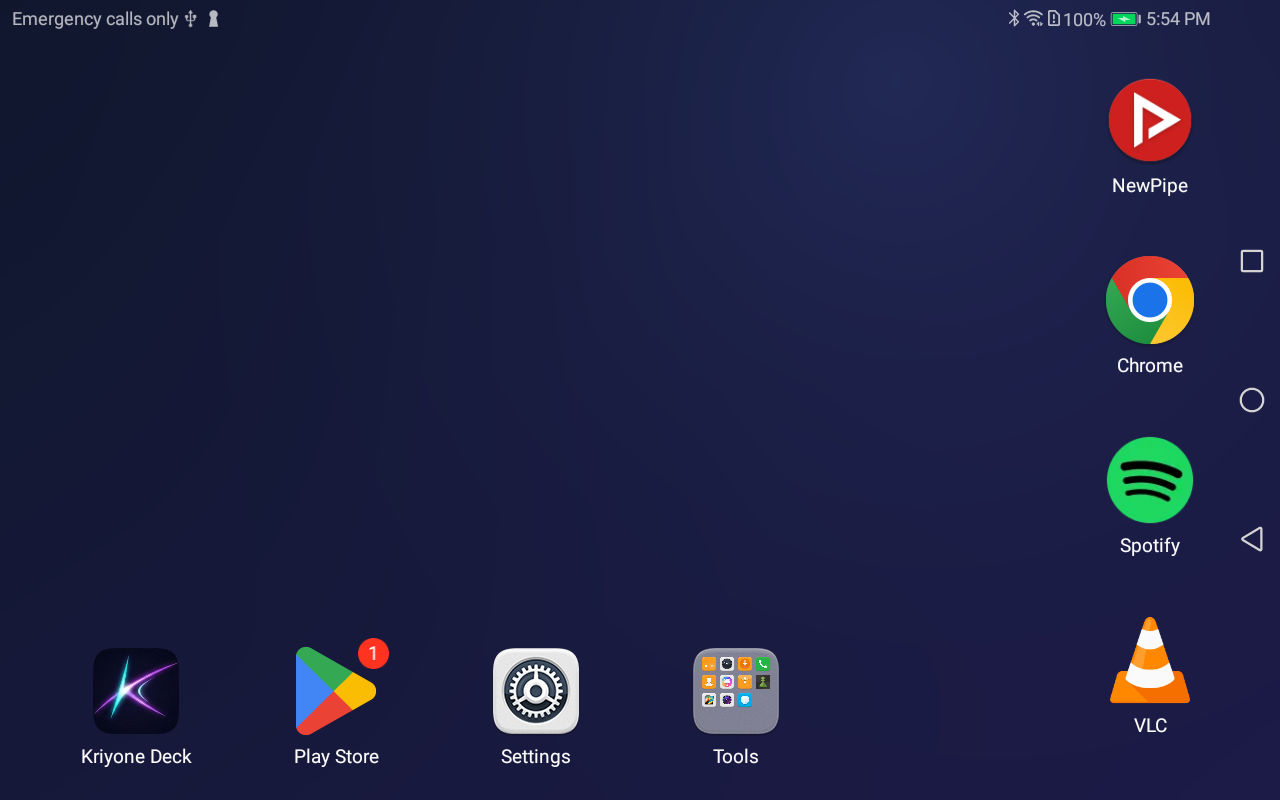
Requirements
- A Mac with macOS 14 Sonoma or later (Apple silicon or Intel)
- A free Kriyone account (sign in with Google or email, from the app)
- A tablet or phone with a web browser, on the same Wi-Fi as the Mac (tested on Android 7 with Chrome)
- For voice notes: a microphone on the tablet, and Apple Notes on the Mac
- For now playing: Spotify or Apple Music on the Mac
FAQ
Is Kriyone Deck free?
Yes.
Does my data go through Kriyone's servers?
No. The tablet connects directly to your Mac on your Wi-Fi. Kriyone's servers only handle your sign-in and give your Mac its secure web address and certificate.
Why do I need to sign in?
Signing in gives your Mac a secure address (like ab12cd.lan.kriyone.com) with a real HTTPS certificate, so your tablet's browser allows the microphone for voice notes and the link keeps working when your Mac's Wi-Fi address changes.
Does it work on iPhone or iPad?
The deck runs in any modern browser, but this version has been tested on Android tablets with Chrome.
Why does macOS warn me when I first open it?
Kriyone Deck isn't distributed through the Mac App Store, so macOS asks you to confirm it once in System Settings → Privacy & Security → Open Anyway. After that it opens normally.
Does it work away from home?
Not yet: the tablet and the Mac must be on the same Wi-Fi network.
I can't see it in my menu bar.
On MacBooks with a notch, a full menu bar can hide icons. Open Kriyone Deck again from Applications or Spotlight and its window comes back.
My tablet can't connect.
Both devices must be on the same Wi-Fi network, and not a guest network that keeps devices apart. Some routers block addresses that point inside your home network ("DNS rebinding protection"): allow lan.kriyone.com in your router's settings. See the setup guide for details.
Can someone else on my Wi-Fi control my Mac?
Only devices that have your QR code or link. If you think it was shared, choose New access code… in Kriyone Deck and scan again on your tablets.
Give your old tablet a new job.
Set up in about 5 minutes. Free for Mac.
 Download for Mac (free, 2.7 MB)
Version 1.2.1 · macOS 14 Sonoma or later, Apple silicon and Intel
SHA-256: 968f1601a89e1fa69d463c59592cdb68331f3bf4b459576f4e51adb8acfe7953
New in 1.2.1: Fixes album art showing as a broken image on the tablet.
Kriyone Deck © 2026 Kriyone. Includes OldPhoneDeck, © OldPhoneDeck contributors, MIT License (see About Kriyone Deck in the app). Stream Deck is a trademark of Elgato (Corsair); Kriyone Deck is not affiliated with or endorsed by Elgato or Corsair.